Interactive map
The Queen's Domain map
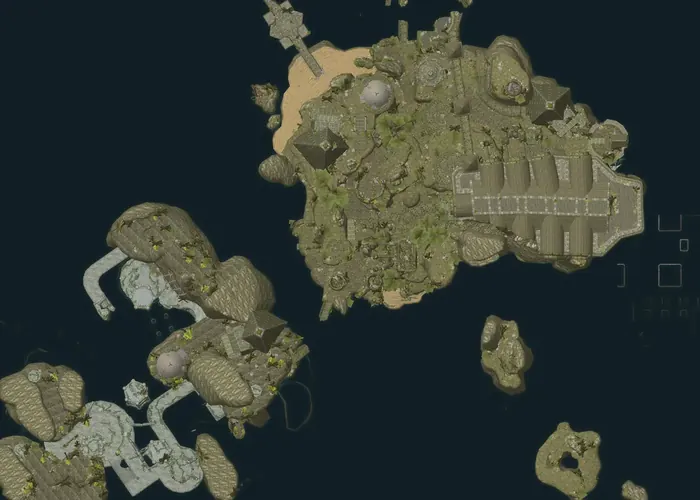
This is a full interactive map of Queen's Domain. Every area is shown from above with all its ground, buildings, trees and props, about 77,000 objects, placed exactly as in the game. Each item, chest, enemy spawn and Crystal Monument sits precisely where you'll find it.
What's on the map
- Items: weapons, throwing weapons, accessories, use items, upgrades, treasure and key items
- Chests and hidden spots
- Enemies and bosses, at their spawn points
- Crystal Monuments, where you rest and travel
- Floor plans for tall buildings and dungeons with several levels, one floor at a time
How to use it
- Pick a map in the sidebar (on a phone: the map name at the top), then filter by category or search for a name.
- Click a marker to see what it is and open its wiki page with exact stats.
- Mark things as found to fade or hide them. This is saved in your browser.
- and everything past it stays hidden: markers, map names and even how many there are.
Questions
Does Queen's Domain have an in-game map?
Not a world map: the game's menus have no map screen, so you find your way by landmarks and Crystal Monuments. This map fills that gap: every area looks the way it does in the game, seen from above.
Where are the Crystal Monuments?
Turn on the Crystal Monuments filter. Every monument is marked where the game places it, which is also handy for planning where to rest and teleport.
Will the map spoil the game?
Not unless you want it to. Set how far you've played and markers and maps past that point stay hidden, without even showing how many there are. Names only appear when you click a marker.
How accurate is the map?
Every marker sits at the exact spot of its pickup, chest, enemy spawn or Crystal Monument in the game, for the current game version.
Can I track what I've already found?
Yes. Open a marker and choose Mark as found. Found markers fade out, or you can hide them. Your progress is saved in your browser only.
Looking for one specific thing? Every item and enemy page on Neasied has a Show on the interactive map button. Browse weapons, accessories, bosses or the bestiary.